
Overview
Blood Glucose is one of the vital types you record on the Vitals tab. When a glucose meter reads outside its measurable range it displays HI or LO instead of a number. Seniorverse's glucose value field accepts a numeric reading in mg/dL, or the letters HI or LO — typing H completes to HI and L completes to LO — so you can document out-of-range results exactly as the meter reported them.
Before You Begin
- You must be logged into Seniorverse with access to the Care module and clinical permissions
- The member must already exist in the system
- Have the glucose reading from the meter ready
Steps
Step 1: Start a Blood Glucose Reading
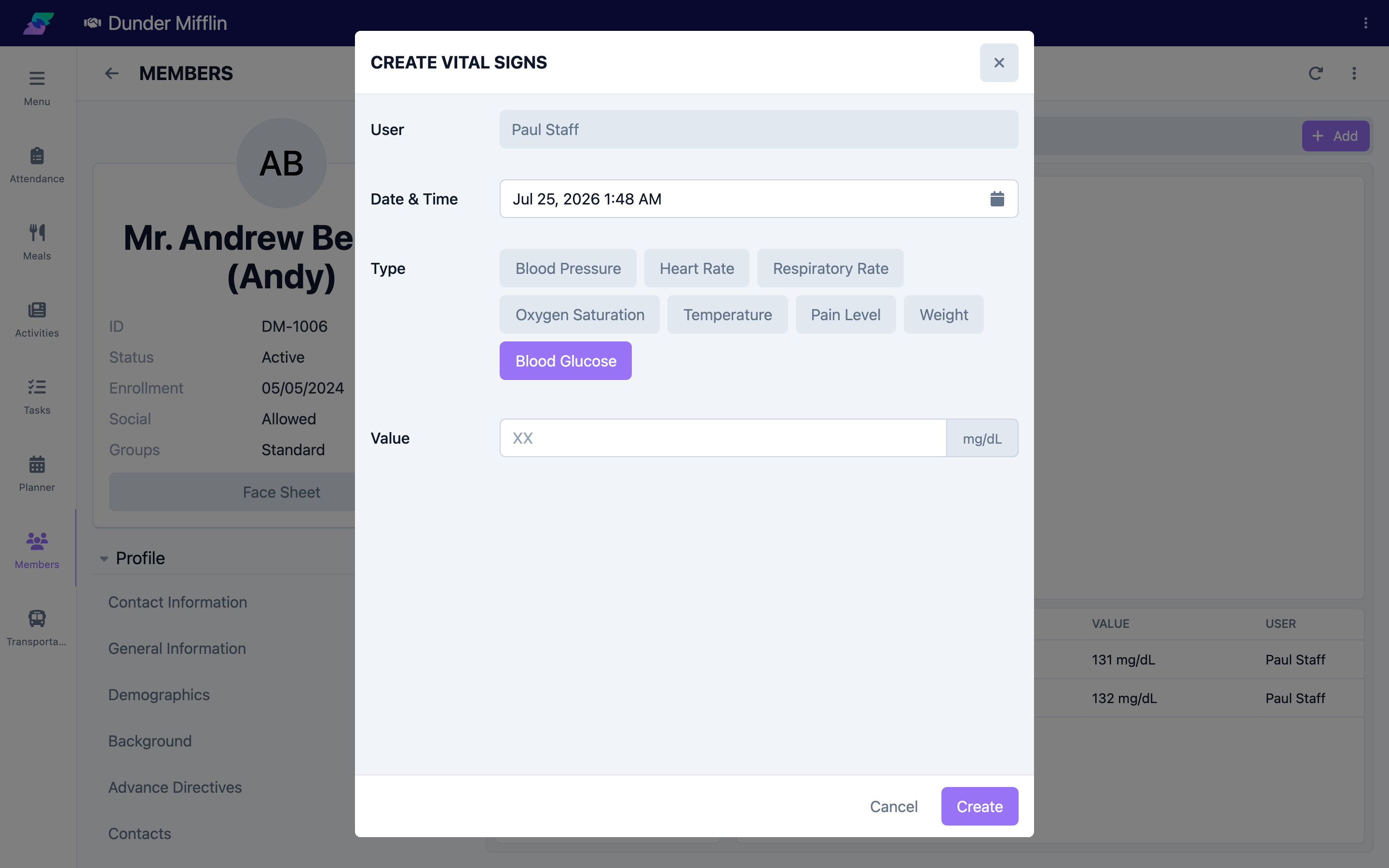
From the main navigation, select Care, then Members, and choose the member. Open the Care tab group, select the Vitals tab, and select Add. In the Vital Signs form, set Type to Blood Glucose. The value field shows the mg/dL unit.
Step 2: Enter a Numeric Reading
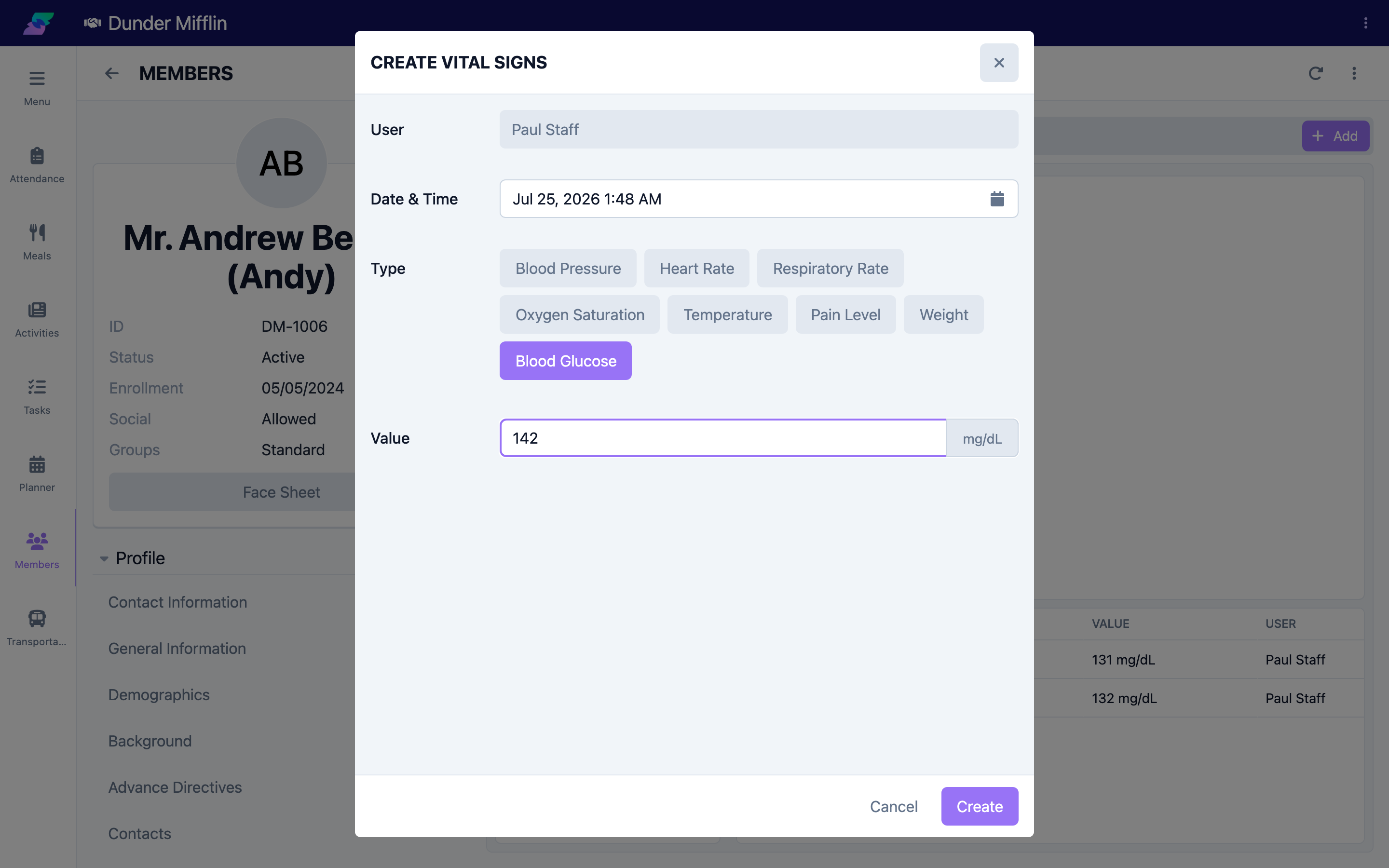
For an in-range result, type the number, such as 142. Confirm the Date & Time reflects when the reading was taken, then adjust if you are entering it after the fact.
Step 3: Enter a HI or LO Reading
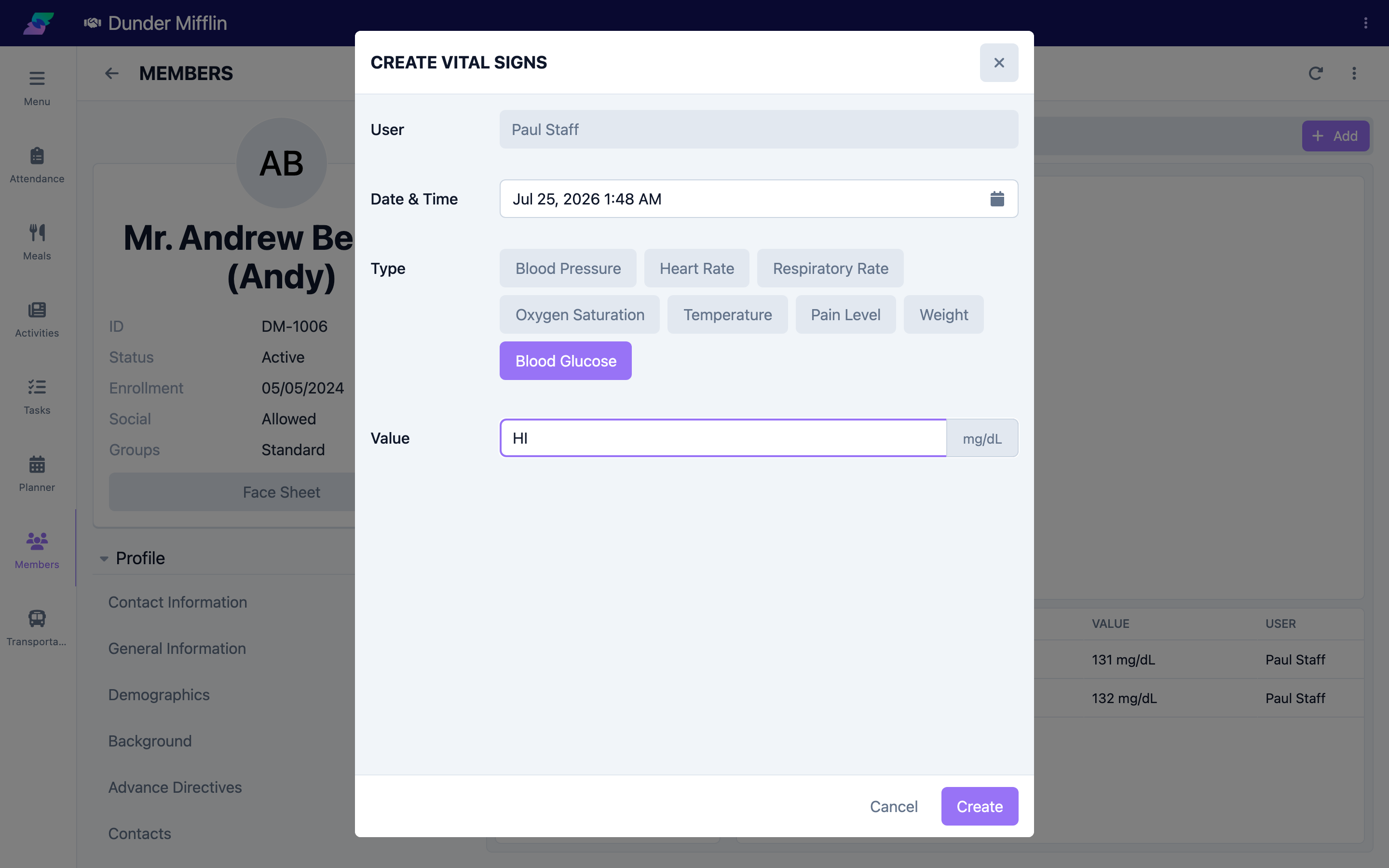
When the meter displays HI or LO, enter it in the value field instead of a number:
- Type H and the field completes to HI (reading above the meter's range)
- Type L and the field completes to LO (reading below the meter's range)
Step 4: Save and Review
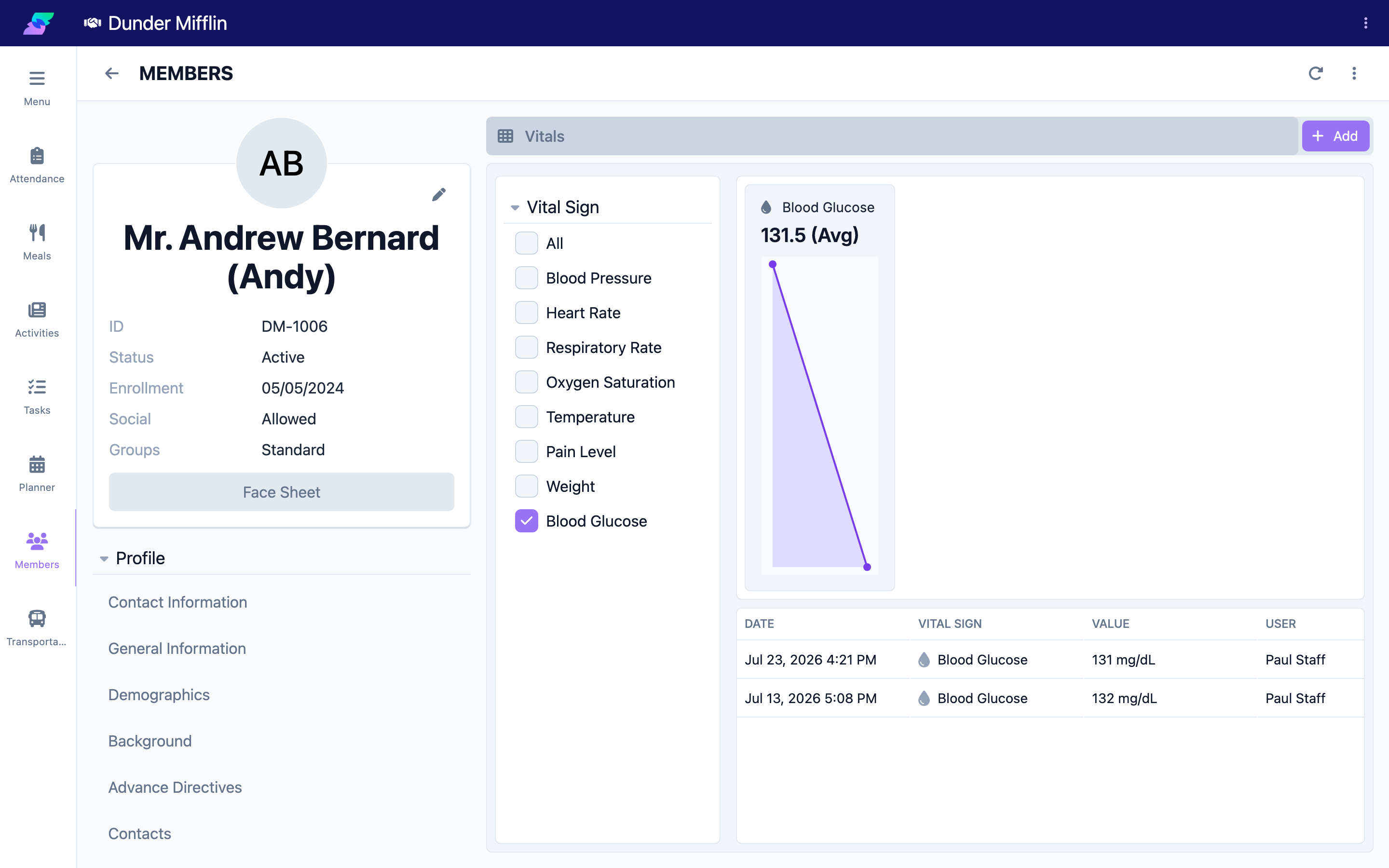
Select Save. The reading appears in the vitals table with the value shown as the number, HI, or LO. Filter the table to Blood Glucose to review the member's glucose readings together. To correct a reading, select its row to reopen the form.
Tips
- Follow your facility's protocol to recheck and act on any HI or LO result, then record the recheck as its own reading
- Enter HI or LO exactly as the meter reported rather than guessing a number
- Filter the vitals table to Blood Glucose to see the member's readings and trends in one place
- Use a nurse note to document interventions, symptoms, or physician notifications related to an out-of-range reading
Troubleshooting
| Problem | Solution |
|---|---|
| The field will not accept my entry | The Blood Glucose value field accepts a number, or the letters HI or LO. Type H for HI or L for LO; other text is not accepted. |
| HI or LO changed as I typed | This is expected — typing H completes to HI and L completes to LO automatically. |
| I need to record an earlier reading | Adjust the Date & Time field on the form before saving. |
| The reading is on the wrong member | Reopen the reading from the table to verify, or confirm you are on the correct member's Vitals tab. |